Small useful scripts–Changing Driver Package source (PS1)
I have this customer who had to move all driver packages from from one server a another. This of cause meant all the Data Source references had to be change as well. Once al the packages were moved to the new server I ran the following two scripts to change the source. All you need [...]
Category: Configuration Manager, Drivers, OS Deployment, Powershell, Scripting | Comment
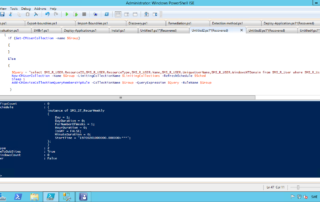
WMI/ConfigMgr Scripting: CreateEmbeddedObjectInstance (.NET) or SpawnInstance (VBScript) in PowerShell
During the development of the script I posted yesterday, I noticed that a lot of people had problem discovering how to create WMI objects in PowerShell. I found different suggestions, but they all had problems. When I have to create WMI object instances I use this this method, which I used in my old [...]
Category: Configuration Manager, Powershell, Scripting | 1 Comment
PowerShell: ConfigMgr 2007 – Create Maintenance Window
How do create service windows in configuration manager by using PowerShell.
Category: Configuration Manager, Powershell, Scripting | 5 Comments
PowerShell: How to create an empty array!
Note about array in powershell. How to create empty arrays and a little trick for adding to arrays.
Category: Powershell, Scripting | 1 Comment
System Center Orchestrator 2012 Beta: Using Run .Net Script Activity – PowerShell: Inputting and Returning Data
This article describes how to use the Run .Net Activity to run PowerShell Scripts. I have created an example runbook which does the following: Start once every minute. Read a text file containing a list of sites/servers. Parse the list to PowerShell script. PowerShell script tried to ping each address and get the response time. [...]
Category: Orchestrator / Opalis, Powershell, Scripting, System Center Orchestrator 2012, System Center Orchestrator 2012 Beta | Comment
PowerShell: Creating new users from CSV with password and enabled accounts or How to Pipe into multiple cmdlets
How to create users from a CSV file, set their password and enable them in one command.
Category: Powershell, Scripting | 3 Comments
This method shows you how to pipe the same output into multiple cmdlets by using the ForEach-Object Cmdlet.
Exchange and Activesync: Limiting the mailbox to sync with only one device
Just came back from a customer which needed to limit the number of mobile device to one per mailbox. For this implementation the customer used all kind of smart phones, so the challange was also to find the unique Device ID from the Smartphone and add it to a Active Directory Attribute called: msExchMobileAllowedDeviceIDs. I [...]
Category: Exchange, Powershell | Comment
Run an executable from a specific path that includes spaces and arguments
Many people who have worked with PowerShell have reached this problem. You have a exe file in a folder that includes spaces. (fx. “C:\Program Files\”)
Category: Powershell, Scripting | Comment
This exe file needs to be called with an argument that starts with “-”. at the same time , you need to call it from another folder.
How to list ConfigMgr package structure in Powershell
This post show how to do a list of all package structure in ConfigMgr 2007, via standard PowerShell.
Category: Configuration Manager, Powershell, Scripting, Software distribution | 1 Comment
Microsoft Scripting Games 2010
It is almost time for the annual Scripting Games at Microsoft Scripting Guys! Scripting games is a fun “competition” with a lot of different scripting challenges. This year it is held from April, 26 – May 7. I suggest all scripters to join the fun!, it is good practice for both newcomers and hardcore [...]
Category: Powershell, Scripting, VBScript | Comment